Your meetings,
remembered.
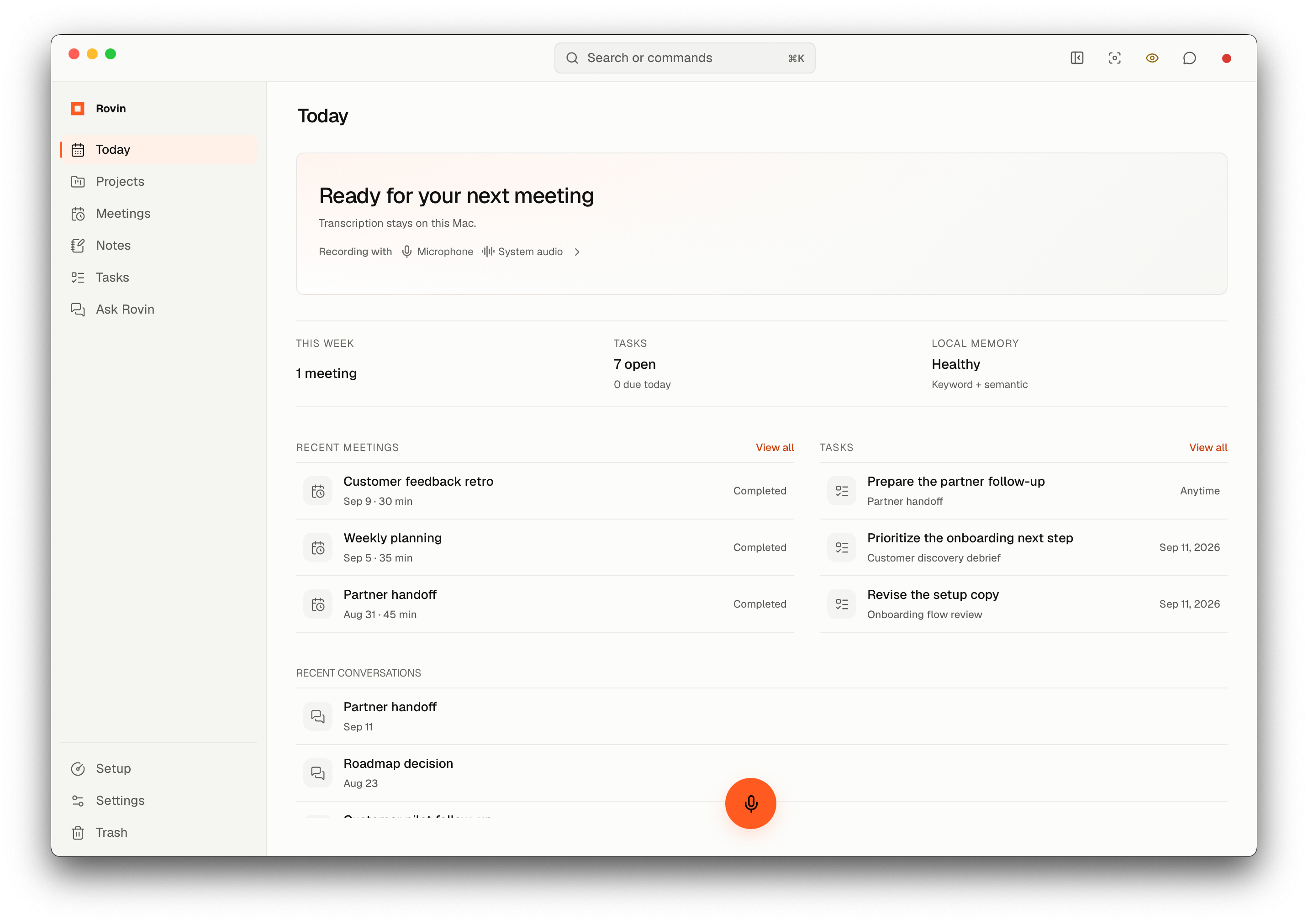
Stay present in the conversation. Rovin records and transcribes meeting audio on your Mac, so you can return to decisions, context, and next steps whenever you need them.
How it works
From conversation to follow-through.
Rovin keeps the path from what was said to what happens next clear and connected.
Remember
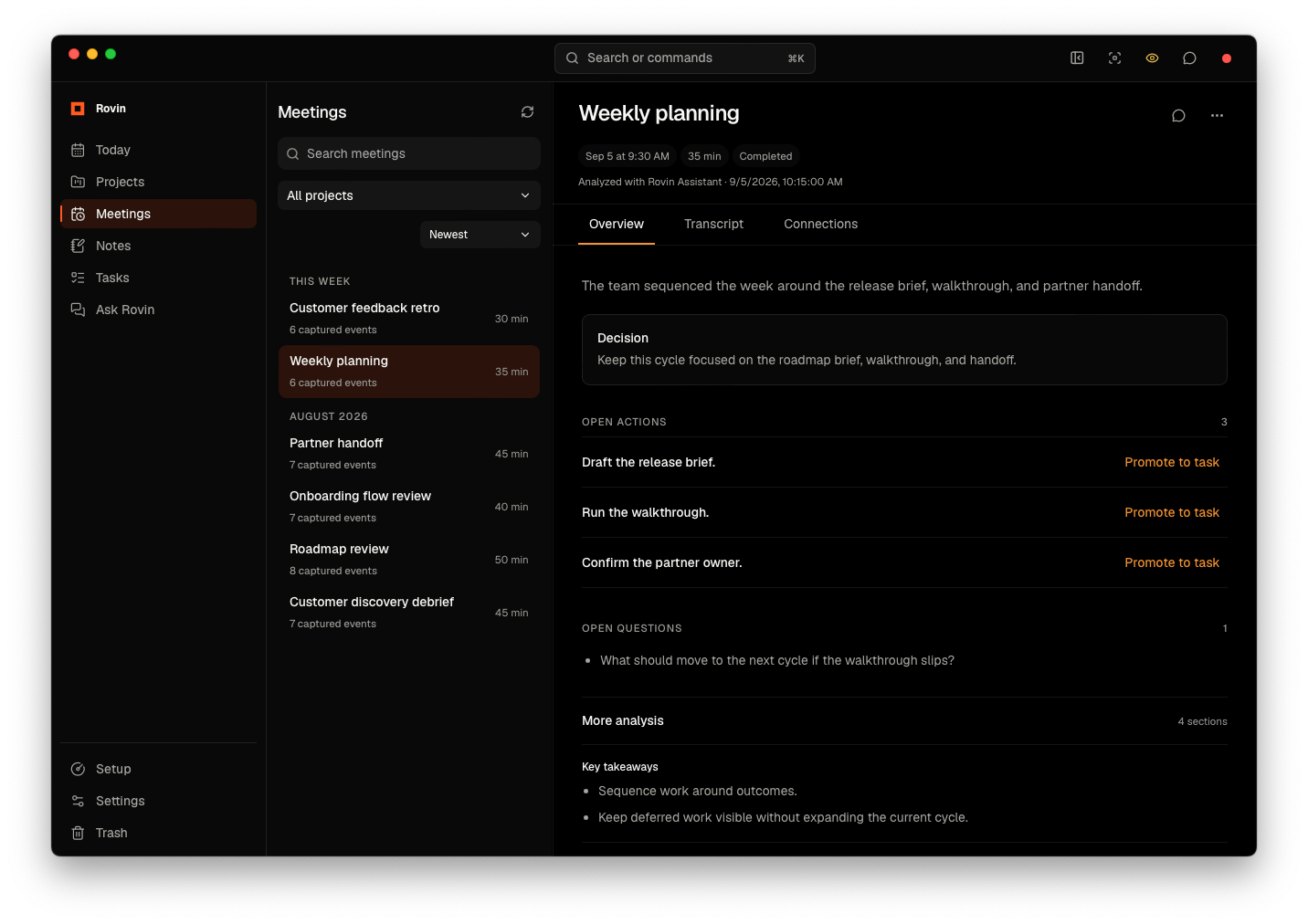
Turn conversations into clear next steps.
See decisions, open actions, and questions together with the meeting context that gave them meaning.
Recall
Pick up where the conversation left off.
Revisit a decision, check its source, and turn the next step into a task.
How AI & data work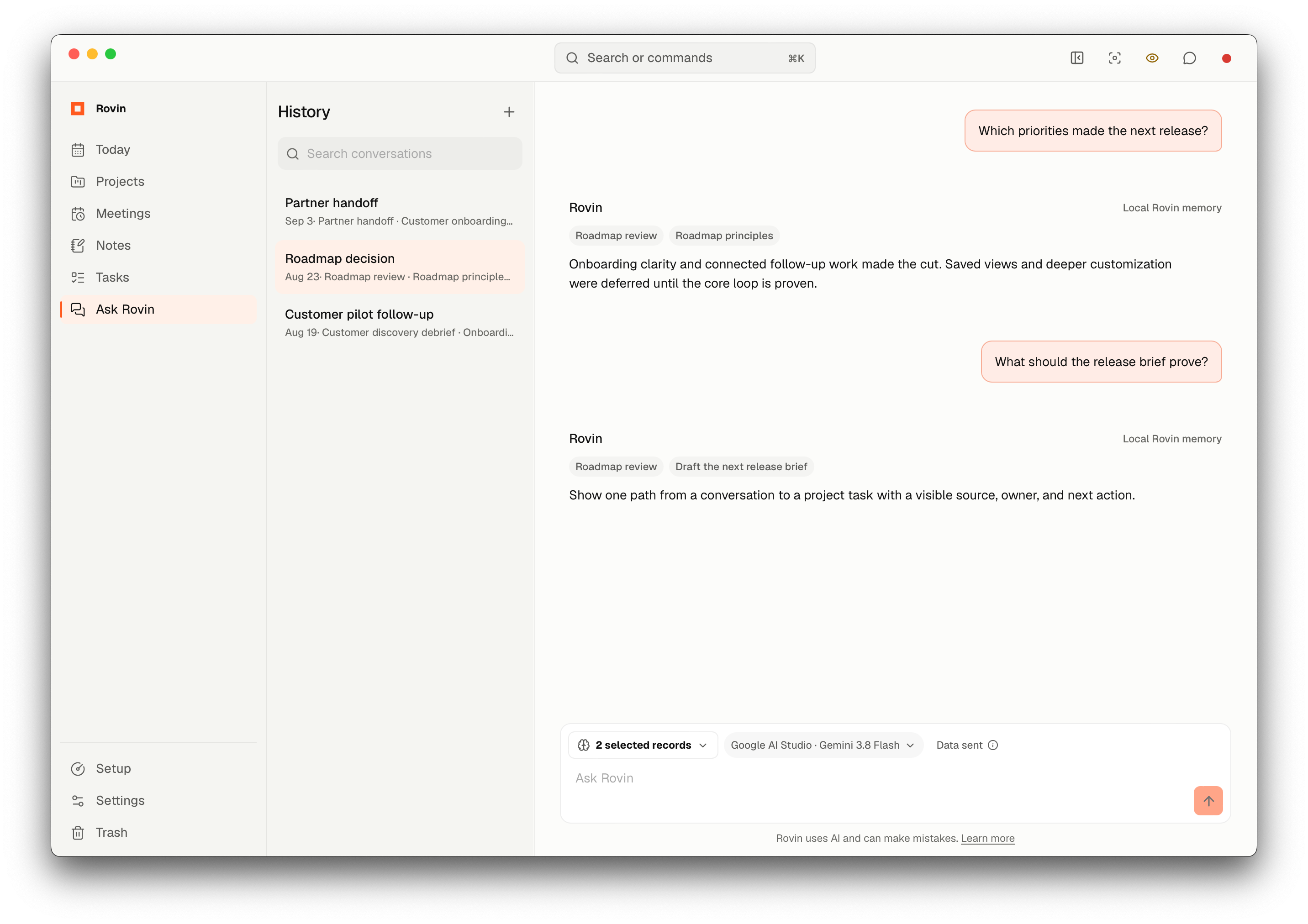
Act
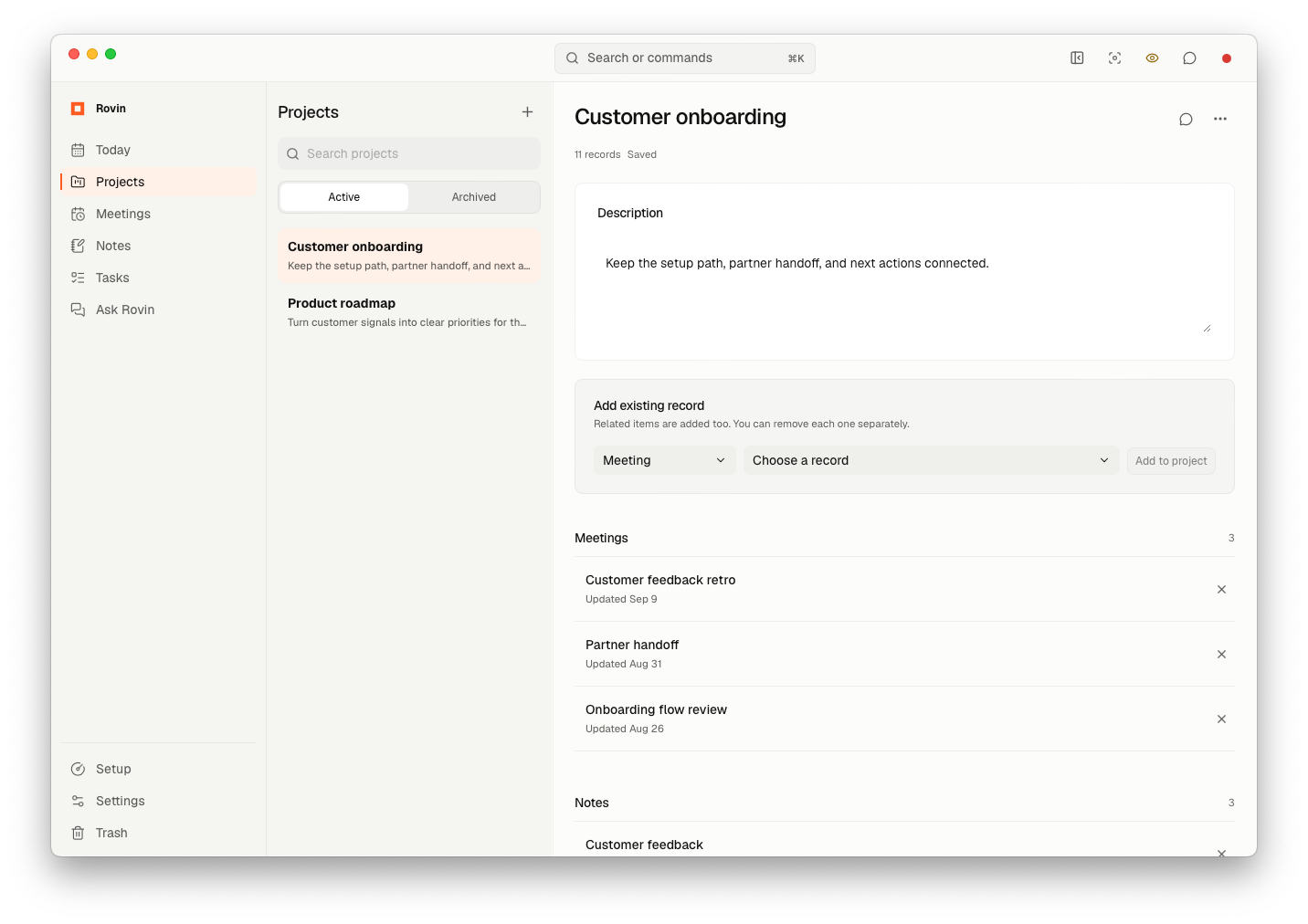
Keep the work connected to its context.
Bring related meetings, notes, and tasks together in one project.
Privacy by design
Your context. Your control.
Transcription and search stay on your Mac. For AI features, you choose the provider.
Rovin detects and redacts sensitive details before sending AI requests. Because redaction is not anonymization, your provider’s data controls still apply.
FAQ
Questions, answered.
What is Rovin?
Rovin is AI meeting memory for Mac. It records and transcribes meetings on your Mac, keeps their context connected, and helps you follow through.
Is Rovin free?
Rovin is free. AI answers and meeting summaries use your own provider key, and your provider may charge for usage.
Does Rovin upload my recordings?
Audio capture and transcription happen on your Mac. Rovin removes temporary audio after processing and the recovery period. When you use AI, Rovin sends your prompt and relevant text to the provider you choose.
Does a bot join my meeting?
No. Rovin captures the audio sources you enable on your Mac.
Do I need an account?
No. You can use Rovin without an account.
Which AI providers can I use?
Rovin supports Google AI Studio, OpenAI, and Anthropic. Add your own key in Settings; your provider’s charges and data controls apply.
Does Rovin work offline?
Recording, transcription, notes, tasks, projects, and search work offline after setup. AI requests and model downloads require an internet connection.
Which Macs are supported?
Rovin requires macOS 14.2 or later and supports Apple silicon and Intel Macs.